Call us now :07971189308
 Send Inquiry
 Send Inquiry
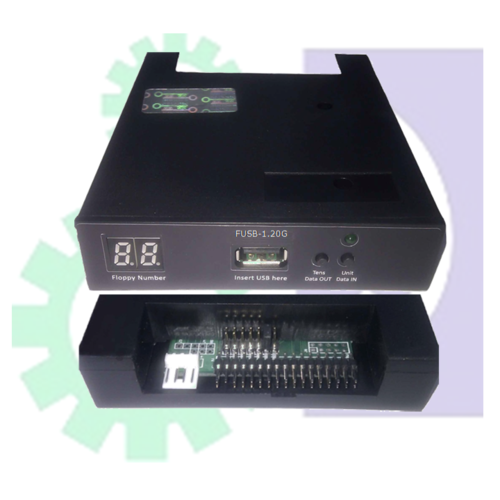
USB Floppy Drive Emulator For Industrial Control Equipment
MOQ : 1 Piece
USB Floppy Drive Emulator For Industrial Control Equipment Specification
- Color
- Grey
- Capacity Supported
- 1.44MB, 720KB (Customizable)
- LED Indicators
- Power, Read/Write activity
- Application
- Industrial Control Equipment
- Compatible with
- Industrial Machinery, CNC Machines, Embroidery Machines, Automation Systems
- Material
- ABS Plastic
- Weight
- Approx. 250g
- Operation
- Plug and Play, No driver required
- Product Name
- USB Floppy Drive Emulator
- Power Supply
- 5V DC via USB Port
- File System Supported
- FAT12, FAT16
- Display
- LED status indicators
- Operating Temperature
- 0C to 70C
- Installation
- Easy retrofit, uses existing floppy connector
- Mounting Type
- Standard 3.5-inch floppy drive bay
- Emulates
- 3.5 Inch Floppy Disk Drive
- Firmware Upgrade
- Yes, via USB
- Dimensions
- 122mm x 101.6mm x 25.4mm
- Compatible OS
- Windows, Linux, Mac OS (for USB preparation)
- Data Transfer Rate
- Equivalent to standard floppy drive
- Protection
- Short-circuit and Overvoltage protection
- Interface
- USB 2.0
- Model Number
- SFR1M44-U100
About USB Floppy Drive Emulator For Industrial Control Equipment
FLOPPY TO USB CONVERTER
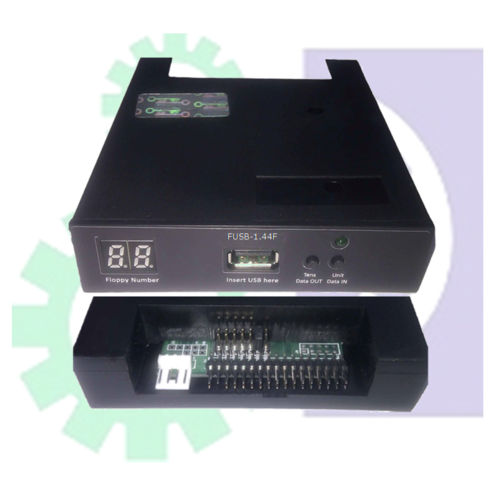
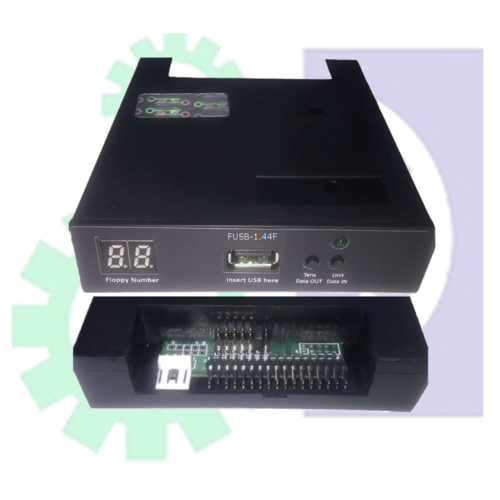
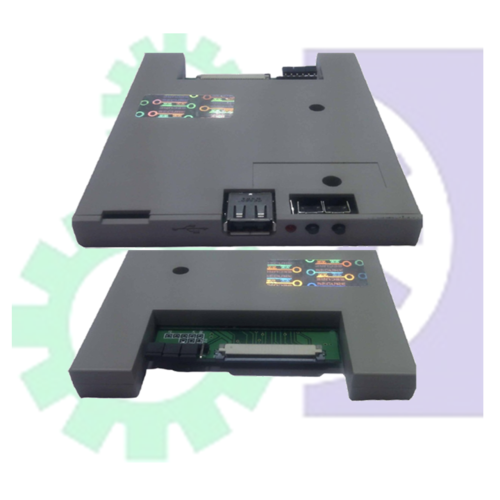
We supply a quality tested Floppy to USB Convertors. These products are highly demanded by the clients for their easy installation and durability. FUSB is designed for replacing original floppy drives in computers and most all kinds of all devices which use floppies, while still using the original wires and space. The device is easy to install and does not require any modifications or changes on your existing device. While using USB flash drives the data transfer device and storage media, you can take advantage of mass storage, easy reading and writing operations, permanent data storage, and avoiding using easily damageable floppy drives and floppy disks.
It s sutable for
CNC and PLC Controller Systems, Cutter, Medical Instruments, Robotics and Machining Centers, Plastics Injection Machines, Embroidery Machine, Musical Instrument, Wire Cut Machine Knitting Machine
Specifications
Successful alternative for 1.44MB with Non Dos Support and Boot Floppy disk option
USB as floppy Interface Options - 34 Pin
Physical Dimensions of FUSB - Standard 3.5"
Operational Voltage - +5 Volts DC
Jumper Setting
a) S1, SO are drive select the locations
b) JA for Ready Signal- as few of the devices need this ready signal.
c) MO is for motor enable
Suitable for
SHIMA SEIKI SES With Floppy drive Model: NEC/TEAC/YD702D-6537/6037/6639 / SONY/YD-702D-6238/
SWF, ZSK, Steiger
Seamless Legacy Replacement
Upgrade machines without changes to the existing hardware layout. The SFR1M44-U100 fits any standard 3.5-inch floppy drive bay, making retrofitting quick and effortless for technicians and operators. The familiar footprint and straightforward installation guarantee minimal downtime during upgrades.
Reliable Data Storage and Protection
This floppy emulator supports 1.44MB and 720KB capacities, making it ideal for transferring and storing crucial operational data. With integrated short-circuit and overvoltage protection, you can trust your datas security even in demanding environments. LED indicators provide instant feedback on power and read/write status for added peace of mind.
Effortless Operation and Cross-Platform Support
The SFR1M44-U100 functions as a plug-and-play device, requiring no additional drivers. Users can easily prepare and maintain USB drives using Windows, Linux, or Mac OS, ensuring broad compatibility and streamlined workflow across industrial applications.
FAQs of USB Floppy Drive Emulator For Industrial Control Equipment:
Q: How do I install the SFR1M44-U100 USB Floppy Drive Emulator in my industrial equipment?
A: Installation is straightforwardsimply mount the emulator into the existing standard 3.5-inch floppy drive bay, connect it to the original floppy interface, and power it via the USB port. No special tools or driver installation is needed.Q: What operating systems are compatible for preparing the USB drives with this emulator?
A: USB drives can be prepared using Windows, Linux, and Mac OS. The emulator supports FAT12 and FAT16 file systems, ensuring compatibility with most industrial applications.Q: When should I consider upgrading my legacy floppy drive to this emulator?
A: Consider upgrading when your existing floppy drives become unreliable, sourcing replacement floppies is challenging, or if you want to enhance data transfer efficiency in your industrial systems.Q: Where can this emulator be used effectively?
A: Its ideal for use in CNC machines, industrial automation systems, embroidery machines, and other industrial control equipment where traditional 3.5-inch floppy drives are utilized.Q: What is the process for upgrading the firmware on this emulator?
A: Firmware upgrades are completed via the USB interface. You simply connect a USB flash drive with the upgrade files, following instructions provided by the manufacturer.Q: How does the emulator ensure data protection and operational safety?
A: The emulator is equipped with short-circuit and overvoltage protection, while LED indicators on the front panel display power and read/write activity for monitoring safe operation.Q: What are the main benefits of using this USB Floppy Drive Emulator?
A: Key advantages include easy retrofit into existing hardware, enhanced reliability, plug-and-play operation, straightforward firmware updates, and broad compatibilityhelping to extend the functional life of legacy equipment.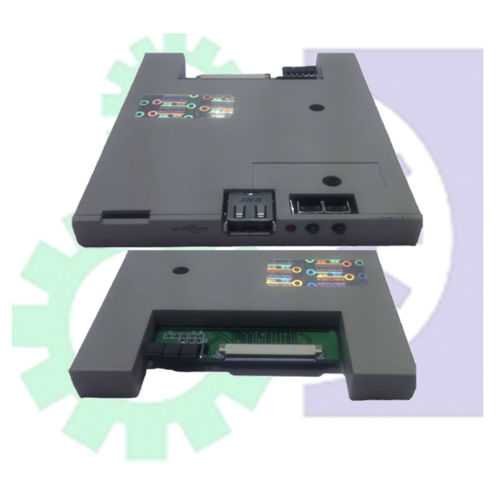
Tell us about your requirement

Price:
Quantity
Select Unit
- 50
- 100
- 200
- 250
- 500
- 1000+
Additional detail
Mobile number
Email

More Products in FLOPPY TO USB CONVERTER Category


 Send Inquiry
Our Products

N0.103, 4th Cross, 2nd Main, Pragathi Layout, Janapriya Township,Bengaluru - 562130, Karnataka, India

Mr G N Nandeesha
(Proprietor)
Mobile :07971189308
 Send Inquiry
 Send SMS
Developed and Managed by Infocom Network Private Limited.
